
Why Cheap Experimentation Is the Best Thing About AI-Assisted Development

Over the past several months, I’ve been spending a significant amount of my time deeply exploring AI-assisted development. I’ve put hundreds of hours into projects across very different domains, deliberately experimenting with different tools, workflows, and approaches. Some projects have turned into real products. Others exist mostly because I wanted to understand what was possible.
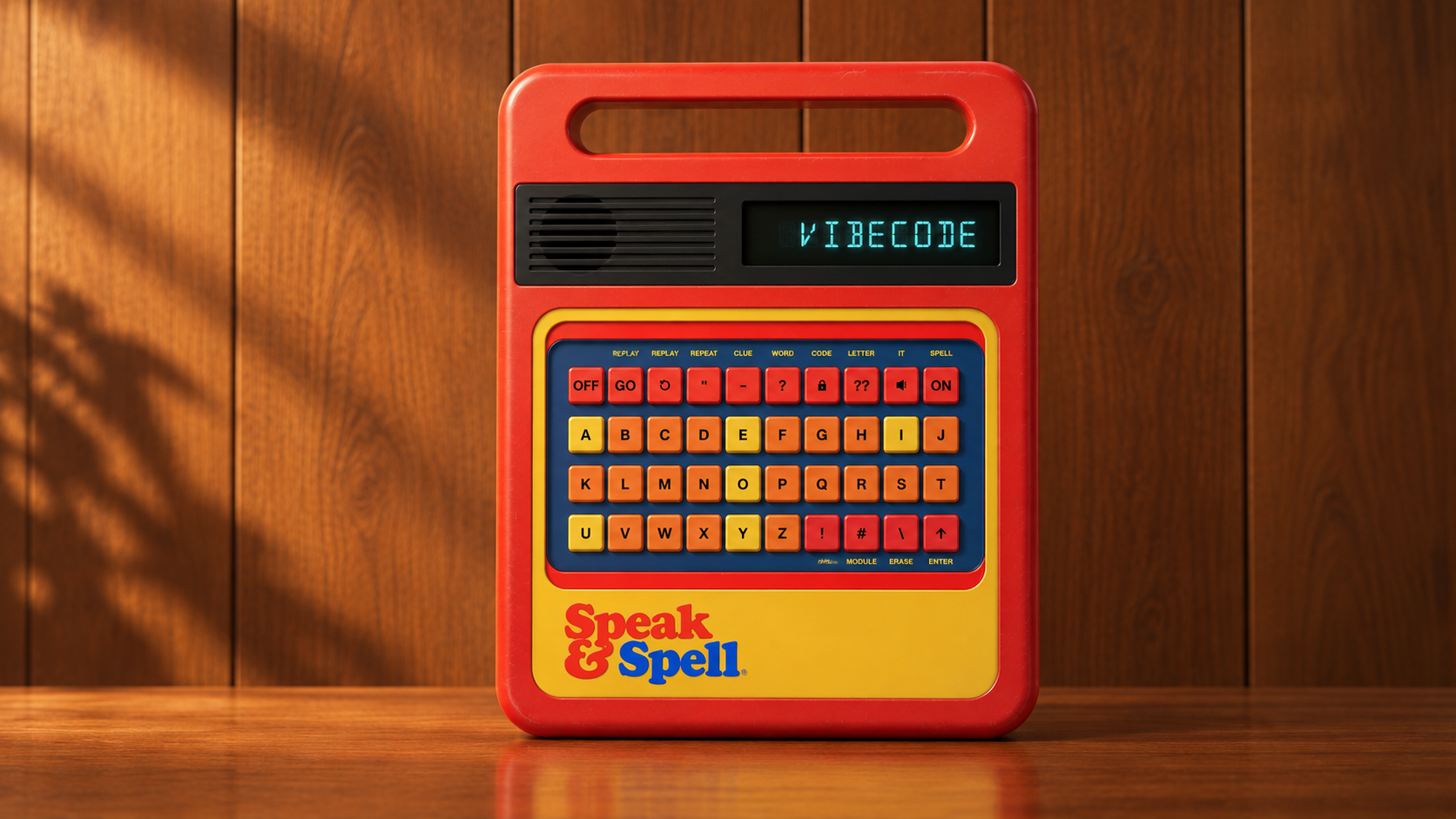
I had a Speak & Spell as a kid and loved how recognizable it became in pop culture, especially after its appearance in E.T. Recently, I stumbled across an old Flash recreation that was never fully developed and wondered: What would it take to rebuild the full experience using today’s AI tools?
So, I ended up building my own interactive version which you can see here.
The common thread across all of this has been learning by building.
For this experiment, I used a lightweight workflow: ChatGPT for research, critique, and interaction ideas, and Claude Code for implementation and iteration. Getting a baseline on screen was surprisingly fast: a red chassis, yellow keyboard, digital display, and working buttons. It looked enough like a Speak & Spell that I could have stopped there.
Then the flaws started shouting at me.
The display color was off. The letters were too smooth. The speaker grille was missing. The buttons looked like web components instead of molded plastic, and the colors felt digitally oversaturated. The CLUE button looked right, but clicking it did absolutely nothing.
I used ChatGPT to compare the recreation against photos of the original, research how specific interactions worked, and help me articulate why certain things didn’t feel right. I turned those observations into increasingly specific instructions for Claude Code, tested the results, and repeated the process.
The work quickly shifted from writing code to observing, critiquing, deciding, testing, and iterating. AI made implementation dramatically faster, but it couldn’t tell me what felt right. I still had to recognize the difference between something that technically worked and something that actually captured the experience I was trying to recreate.
That, to me, is one of the most interesting things about AI-assisted development: it dramatically lowers the cost of experimentation.
Ideas that might normally stay in the “maybe someday” pile can become working prototypes quickly enough that you’re willing to try them. And because each iteration is cheaper, you can ask more questions. What happens if I change this? Why does that feel wrong? Can I make this interaction closer to the original? What happens if I approach it another way?
There was also an unexpected connection to my graduate studies in learning design. When I went to fix that broken CLUE button, I first had to understand what the original function actually did. When was it available? What did it reveal? Did it count as a missed attempt? What feedback did the learner receive?
That’s essentially task analysis. Before you can build the interaction, you have to understand the task.
AI can generate an implementation incredibly quickly, but human judgment still has to define the desired experience, evaluate what comes back, and decide what needs to change. Building the wrong thing faster isn’t progress.
The project also reminded me how powerful curiosity-driven learning can be. Along the way, I found myself exploring speech synthesis, Web Audio, responsive design, segmented displays, animation, and vintage industrial design. None of those were things I sat down intending to study. They were simply the next questions the project forced me to answer.
That may be my favorite part of AI-assisted development.
The distance between curiosity and a working artifact has gotten remarkably short. You can start with a random idea, build something, find its flaws, iterate, and learn a surprising amount along the way.
Sometimes the best reason to build something is simply to see where the experiment takes you.
If you want to see where the experiment landed, you can try the finished Speak & Spell app here.